Export Gmsh mesh to version 2 file format
Since, in parallel, ECOGEN supports only Gmsh [GR09] version 2 mesh files, and the latest Gmsh software currently uses version 4 by default, we recommend exporting the mesh file to version 2.
Mesh generation using graphical interface
To generate a mesh from Gmsh graphical interface, use File -> Export, choose Gmsh version 2 ASCII format and make sure additional options are not checked.
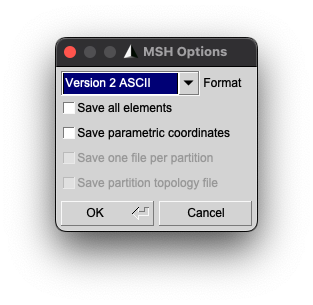
Fig. 38 Gmsh export window.
If the mesh has to be partitioned, check also the option Create ghost cells to have a mesh file fully compatible with ECOGEN.
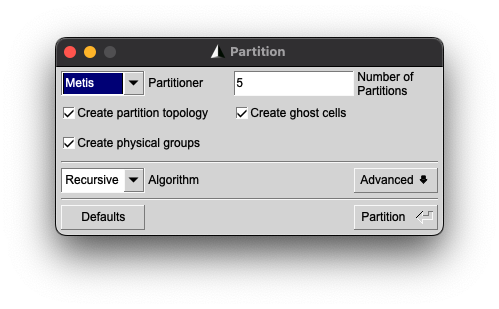
Fig. 39 Gmsh partition window.
Mesh generation using command line interface
To generate a mesh from Gmsh command line interface, enter the following command:
gmsh -<d> -format msh22 <PATH_TO_FILE>
where <d> has to be replaced by the mesh dimension (1 for a 1D mesh, 2 for a 2D mesh and 3 for a 3D mesh) and <PATH_TO_FILE> by the path and name of the .geo file.
You can partition the mesh into n partitions and ghost cells with following command:
gmsh -<d> -format msh22 -part <n> -part_ghosts <PATH_TO_FILE>
You can get help on available command line option with –help argument:
gmsh --help